> For the complete documentation index, see [llms.txt](https://help.partek.illumina.com/llms.txt). Markdown versions of documentation pages are available by appending `.md` to page URLs; this page is available as [Markdown](https://help.partek.illumina.com/partek-flow/user-manual/task-menu/peak-analysis/annotate-peaks.md).
# Annotate Peaks
ChIP-Seq and ATAC-Seq identify enriched regions or peaks in genome. Depending on the assay, the biological meaning of enrichment changes; in ChIP-Seq, enrichment indicates protein binding, while in ATAC-Seq, enrichment indicates open chromatin. To understand the importance of enriched regions in regulating gene expression, we can add information about overlapping or nearby genomic features.
### What is Annotate peaks?
*Annotate peaks* takes an input set of regions and checks for overlap between those regions and a gene/feature annotation. This gives regulatory context for enriched regions.
### Running Annotate peaks
The input for *Annotate peaks* is a Peaks type data node.
* Click a **Peaks** data node
* Click the **Peak analysis** section in the toolbox
* Click **Annotate peaks**
* Set the *Genomic overlaps* parameter
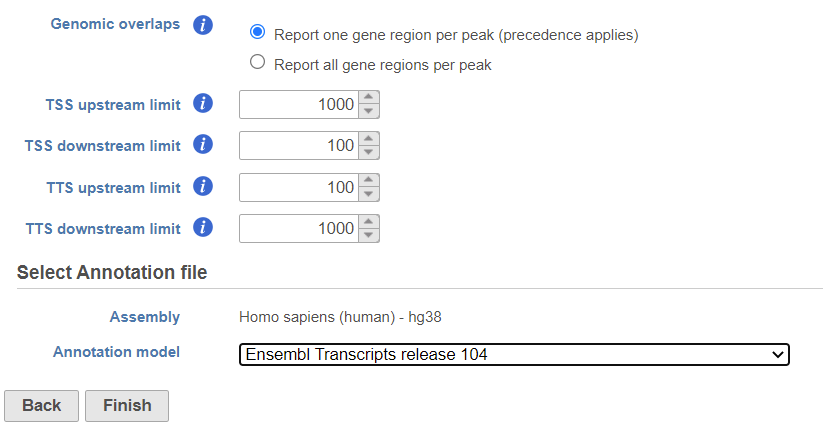
The *Genomics overlaps* parameter lets you choose one of two options (Figure 1).
* *Report one gene region per peak (precedence applies)* chooses one gene section for each peak using the precedence order to settle cases where more than one gene section overlaps a peak. The order of precedence is TSS, TTS, CDS Exon, 5' UTR Exon, 3' UTR Exon, Intron, Intergenic.
* *Report all gene regions per peak* creates a row for each gene section that overlaps a peak in the task report.\
\\
Figure 1. Annotate peaks dialog
User should define the transcription start site (TSS) and transcription termination site (TTS) limit in the unit of bp
* Choose a gene/feature annotation from the drop-down menu
* Click **Finish** to run
### Annotate peaks output
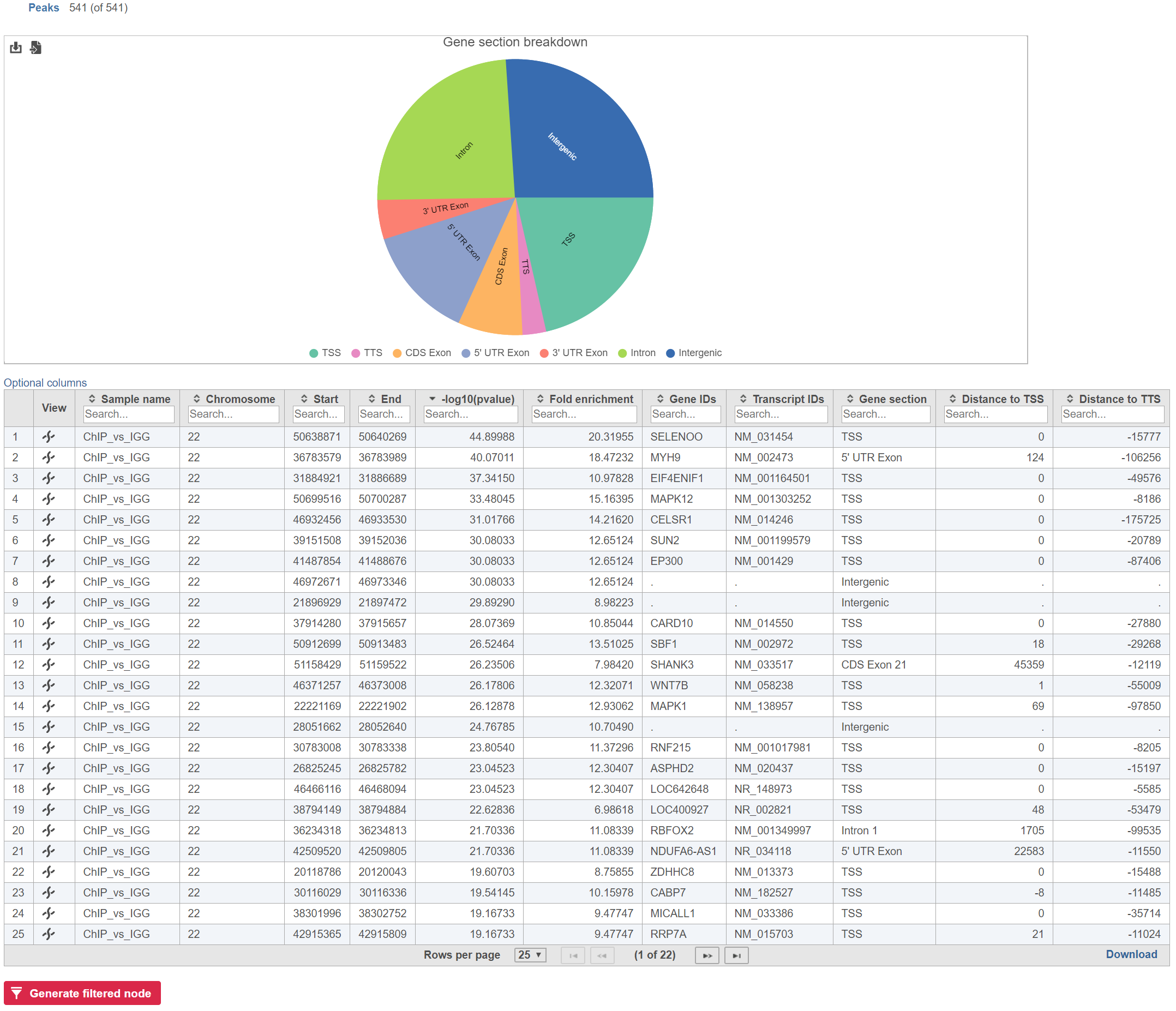
Annotate peaks produces an *Annotated peaks* data node. The *Annotated peaks* task report adds a *Gene section breakdown* pie chart and adds columns with information about the *Gene ID*s, *Transcript ID*s, *Gene section*, *Distance to TSS*, and *Distance to TTS* of each peak to the standard Peaks report (Figure 2). If run with the option to report all gene sections selected, each peak will have a row for each gene section it overlaps. If run with the option to report one gene section selected, each peak will have one row with the gene section it overlaps chosen using the order of precedence.
Figure 2. Gene section breakdown pie chart
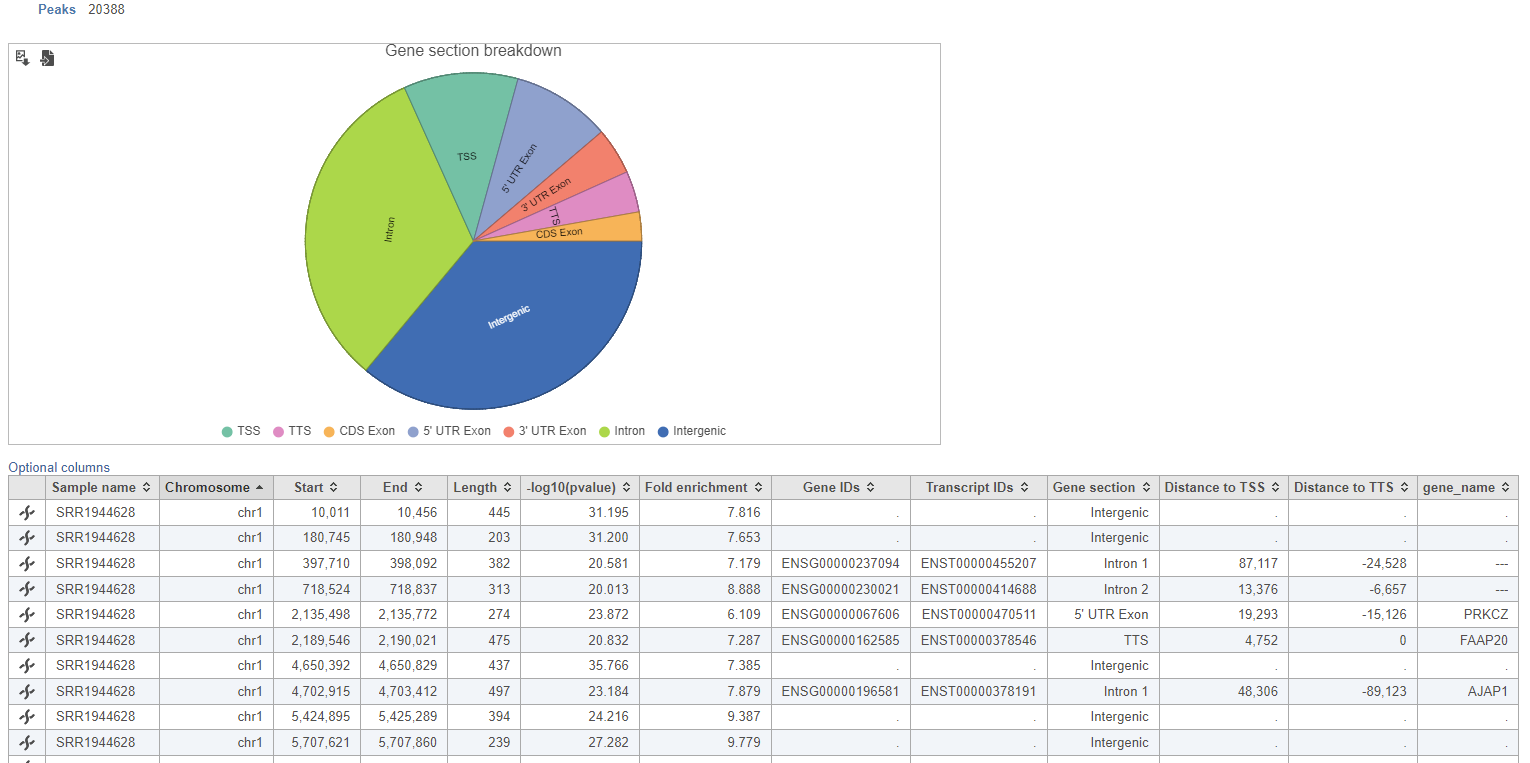
The table can be sorted by any of its columns (Figure 3). Click on the *Optional columns* on the upper-left corner of the table to add more information on each region
\\
Figure 3. Filtering the Annotated peaks task report
#### Gene sections
**TSS**
Transcription start site (TSS) is -1000bp and +100bp (default setting) from the TSS for a transcript
**TTS**
\\
Transcription termination site (TTS) is -100bp and +1000bp (default setting) from the TTS for a transcript
**CDS Exon**
Coding sequence (CDS) Exon is overlapping a coding exon in a transcript
**5' UTR Exon**
5' Untranslated Region (UTR) Exon is overlapping an exon in the 5' UTR of a transcript
**3' UTR Exon**
3' Untranslated Region (UTR) Exon is overlapping an exon in the 3' UTR of a transcript
**Intron**
Intron is overlapping an intron in a transcript
**Intergenic**
Intergenic is not located within 1000bp of a transcript
\
Additional Assistance
---------------------
If you need additional assistance, please visit [our support page](http://www.partek.com/support) to submit a help ticket or find phone numbers for regional support.
---
# Agent Instructions
This documentation is published with GitBook. GitBook is the documentation platform designed so that both humans and AI agents can read, navigate, and reason over technical content effectively. Learn more at gitbook.com.
## Querying This Documentation
If you need additional information that is not directly available in this page, you can query the documentation dynamically by asking a question.
Perform an HTTP GET request on the current page URL with the `ask` query parameter, and the optional `goal` query parameter:
```
GET https://help.partek.illumina.com/partek-flow/user-manual/task-menu/peak-analysis/annotate-peaks.md?ask=&goal=
```
`ask` is the immediate question: it should be specific, self-contained, and written in natural language.
`goal` is optional and describes the broader end goal you are ultimately trying to accomplish on behalf of the user. GitBook uses it to tailor the answer towards what is most useful for that goal.
The response will contain a direct answer to the question and relevant excerpts and sources from the documentation.
Use this mechanism when the answer is not explicitly present in the current page, you need clarification or additional context, or you want to retrieve related documentation sections.